
How the Coming Changes To Divi Can Be Prepared For
How the Coming Changes To Divi Can Be Prepared For
Exciting news, everyone -- Recently, Elegant Themes announced a number of Divi 3.0’s features on the blog. In order to effectively prepare for the upcoming changes, it is prudent to know and understand some of the looming new features.


What is coming in Divi 3.0?
Divi 3.0 promises to launch a totally new visual-editing experience that shall forever transform how websites are built. The new Divi Builder will surely change things for the better. The developers are on a mission to build the best of the best WordPress’ front-end page builder in the market. The new live editor is expected to live right alongside the present ‘backend’ version. Additionally, it is also expected that the two experiences shall be totally interchangeable and cohesive.
Are you already using Divi? Have you already mastered the current interface of Divi Builder? If yes, then you shall be able to use the new builder effortlessly, with zero learning curve.
Front-End, Visual Page Builder
Moving forward, Divi will house a front-end visual page builder and the backend one too. By looking at it, it’s quite clear that users will have the ability to directly click in to the content at the front of a website. Working with it will be instant.
Super-Smooth Upgrade
The upcoming Divi version shall be a totally smooth upgrade. What is more is that the new editor will not affect the present Divi CSS. Moreover, it will not alter anything on the core builder framework. So what does this mean? It simply means that users shall not have to spend numerous days moving their old website after an upgrade. Furthermore, current layouts changing or child themes breaking as you upgrade will not have to be a worry.
The above are just some of the changes that Divi 3.0 is expected to bring with it. Many more changes are definitely expected. It is prudent to know about them so that you prepare adequately.
Follow the Divi 3.0 countdown at Elegant Themes.

RECENT POSTS
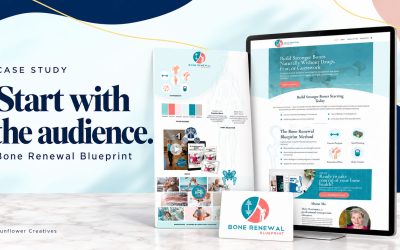
Start with the audience: The Bone Renewal Blueprint Case Study
Before we began designing the Bone Renewal Blueprint website, we needed to take another look at the brand. The client had a clear vision for sharing her knowledge of bone health. Our job was to bring that vision into a website where people could explore her resources,...

When Your Business Changes, Your Website Needs to Catch Up
A website can continue working long after it stops reflecting the business behind it. The pages load. The photos are there. Customers can still find a booking link. But the business may have changed its location, its services, or the experience it offers, while the...

Connecting Purchases Registration and Booking at Sunny Days Swim School
A website can help a business owner spend less time managing the steps between a customer’s purchase and the service they receive. Sunny Days Swim School is a good example of how we bring those steps together. When we worked on the project, families had several lesson...




0 Comments